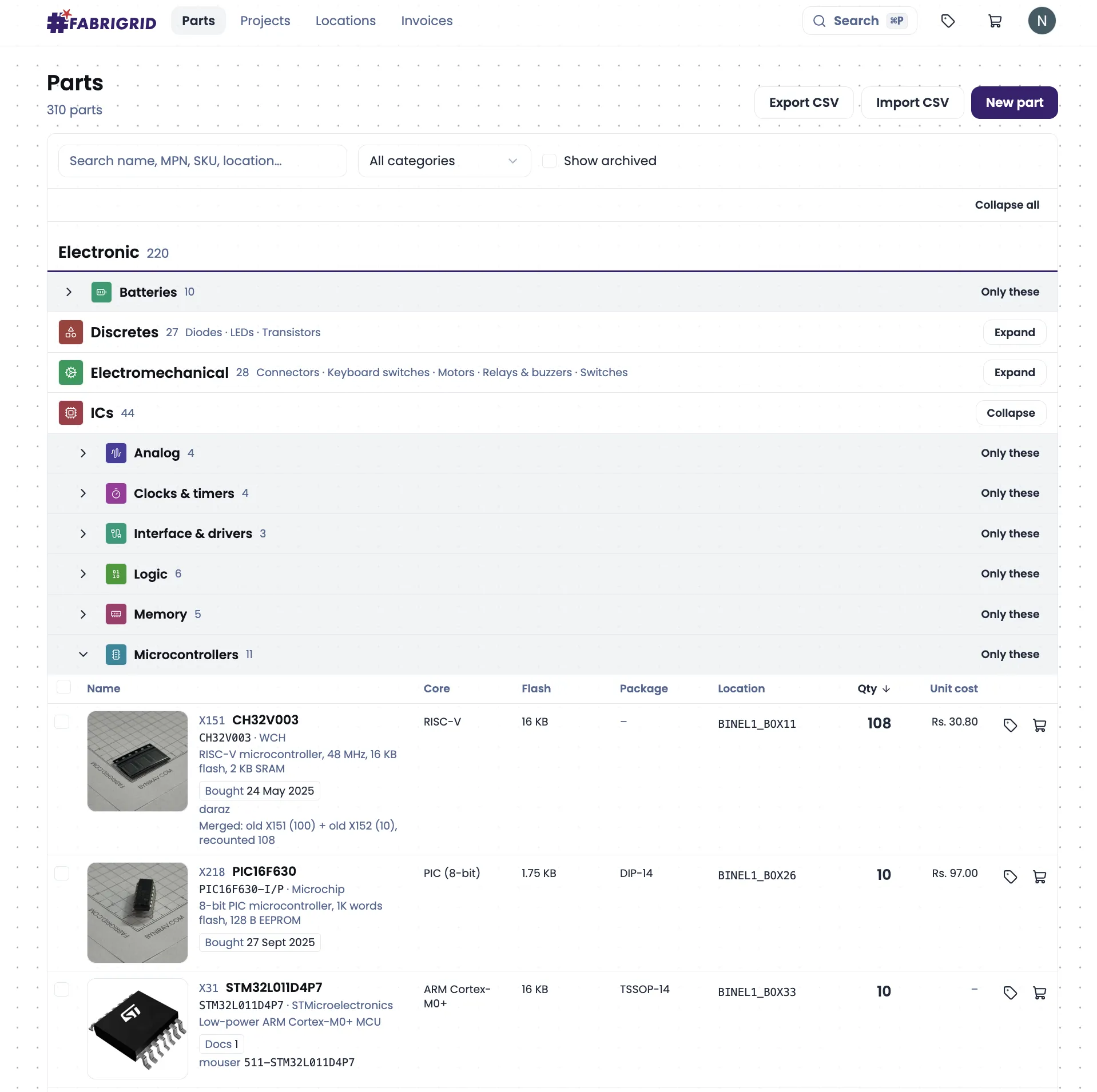
I’m finally happy with Fabrigrid: my home inventory system. It is a central database that keeps track of all my electronic and mechanical components. It associates all my order invoices, tariff papers and purchases with the parts in the inventory. It understands and keeps track of nested locations like a box inside a bin inside a cabinet. It keeps all datasheets and documents associated with a part in one place.
But most important of all, it gets out of my way when I’m working. A cmd+p global search
finds the part I need, its location, stock count and source in a couple of keystrokes.
I can add a list of parts to the project cart and
mark them as used at once. I can quickly print labels for new bins.
All of that in a productivity-focused custom-built UI.
Justification and a brief history
Getting the parts I need takes too long where I live. I might have to wait a month to get a basic 0603 resistor or an M2 machine screw or a Schottky diode. Sometimes longer. I can etch decent PCBs at home, but drilling them is messy and hazardous, so I prefer SMD parts to through-hole. In short, it makes sense for me to stock up on these cheap essentials, knowing that not having a one-cent part might mean I have to compromise on the design or wait a month. With that goal in mind, I have been accumulating parts for the last few years.
Storing these parts in a normal household is not practical without investing in storage boxes. Zip-bagged packets in a drawer get extremely messy extremely fast. We tried this in the early Yarsa Tech inventory and came away with a distaste for zip-packets in general. And I’m not at the scale where I’d ever need full rolls of components.
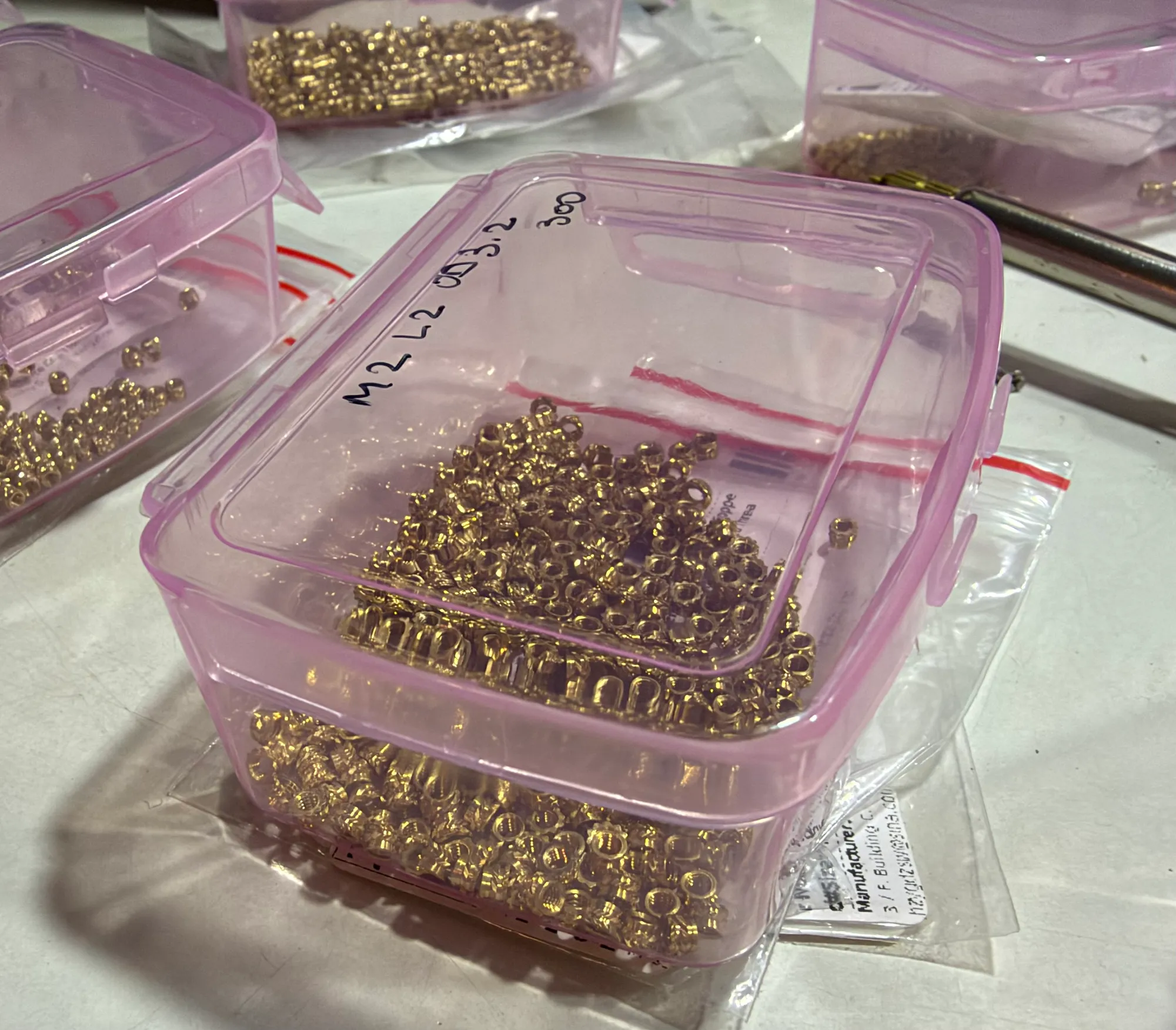
I found a lot of cheap, tiny plastic boxes, and some bigger container bins that can fit about 20 such small boxes in their volume. Then I got a simple shelf to hold the containers. That took care of the physical space for these boxes. I’d been keeping track of what part is in what box with a simple spreadsheet.
Why not Gridfinity?
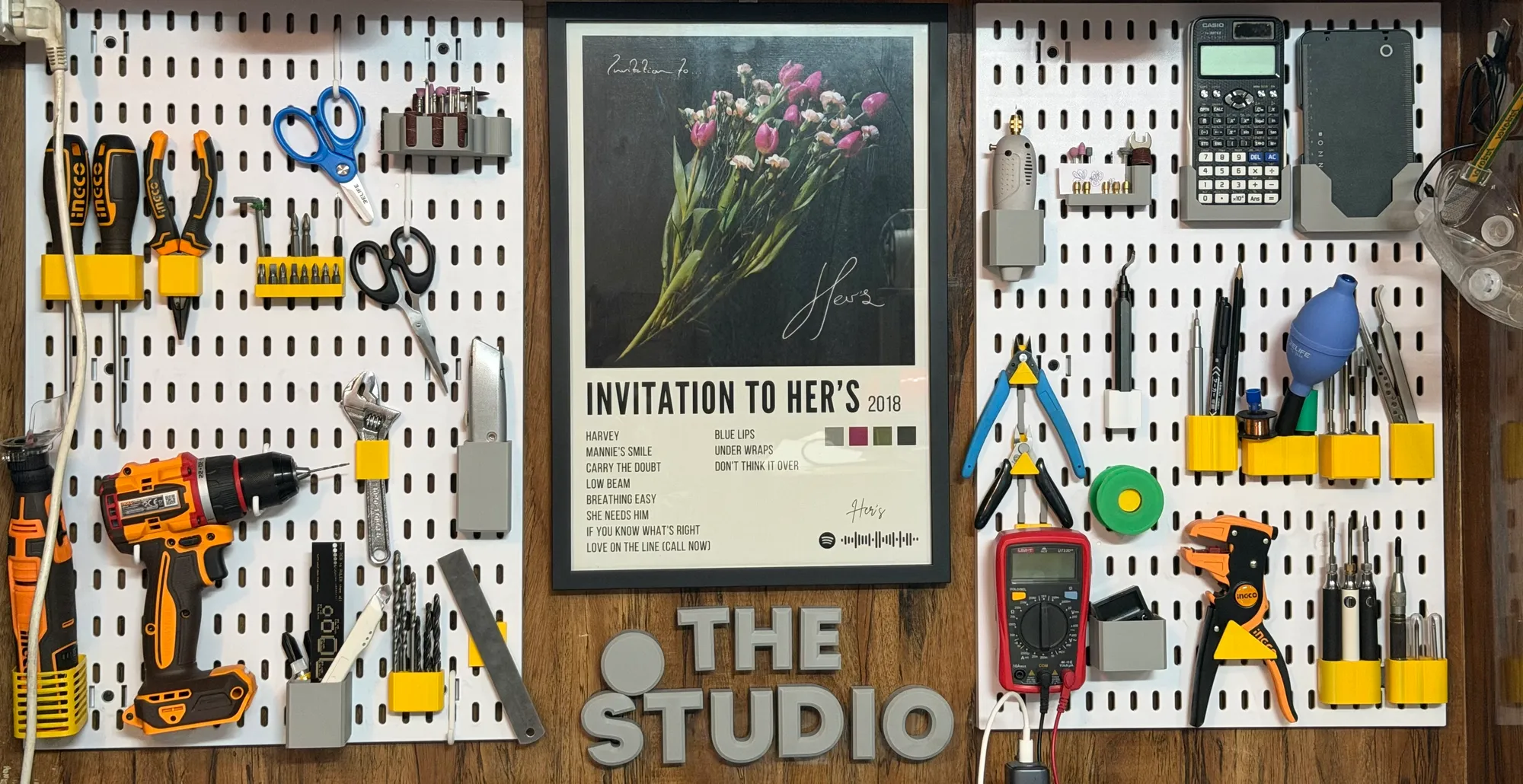
Gridfinity is a great system. I use it to store my tools, cables and batteries. I also have a pegboard to organize frequently accessed tools.
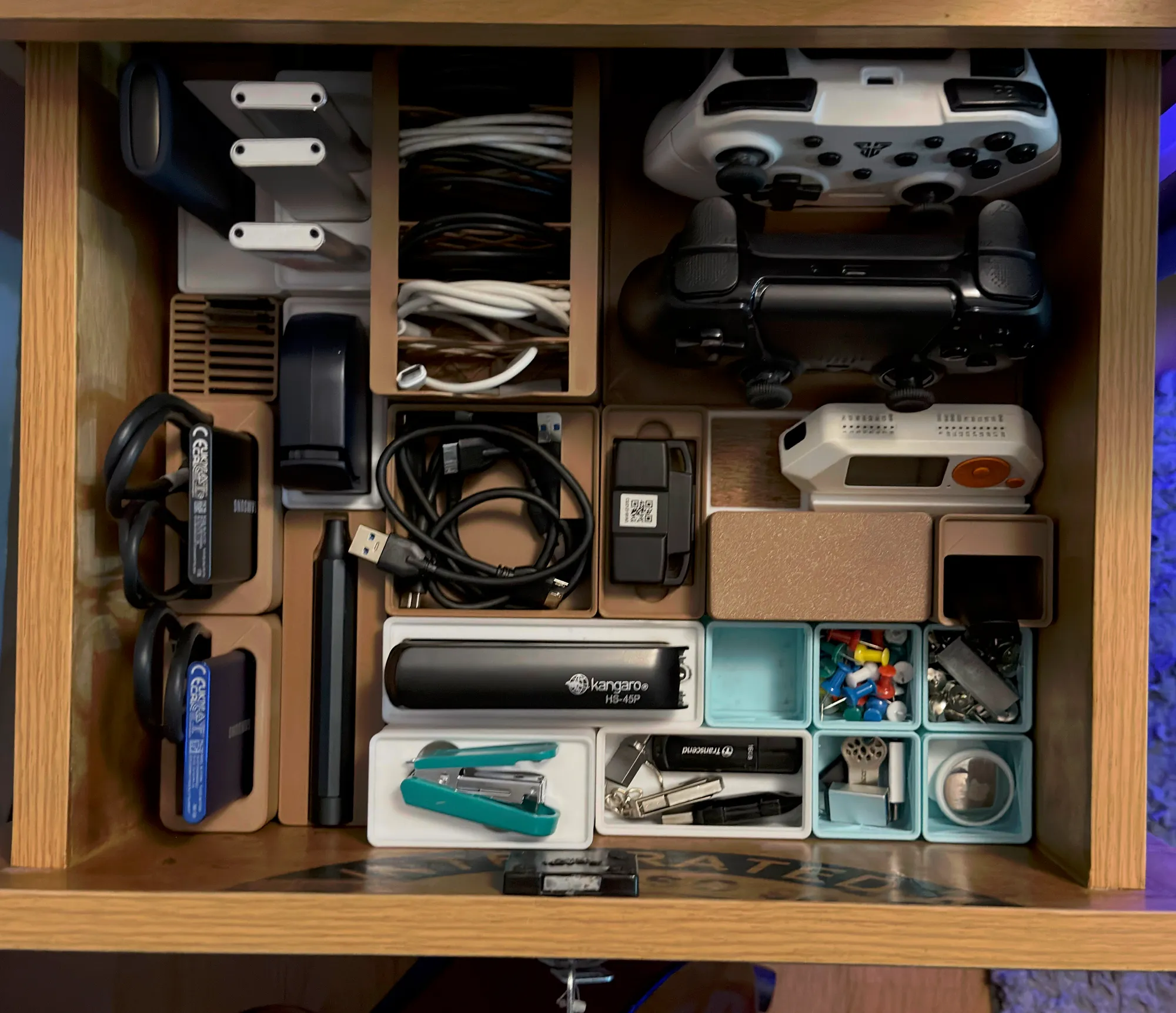
But it doesn’t work that well for the parts inventory. I have really deep drawers, for one. That means either having to create multiple layers of Gridfinity boxes, or leaving the depth unused. Drawers also can’t readily be taken to the workbench. Using container bins means I can bring the whole bin when I need to. If I had shallower drawers, or the budget to custom-order a set of Gridfinity-compatible cabinets (someday…), I’d switch to Gridfinity. A coordinate-based, single-layer location system would be an improvement.
Bin labels
The container bins, the tiny part bins and the shelves and cabinets need to be linked to Fabrigrid somehow. Previously, I’d just been writing numbers on masking tape stuck to the lid. But now, with the power of Fabrigrid, I create and print labels linked to each box. For a part box, the QR code takes you directly to the part’s detail page, and you can quickly record it as being used for a project. For a nested bin, the QR takes you to that bin’s index, which lists all the sub-containers and all the parts inside the bin.
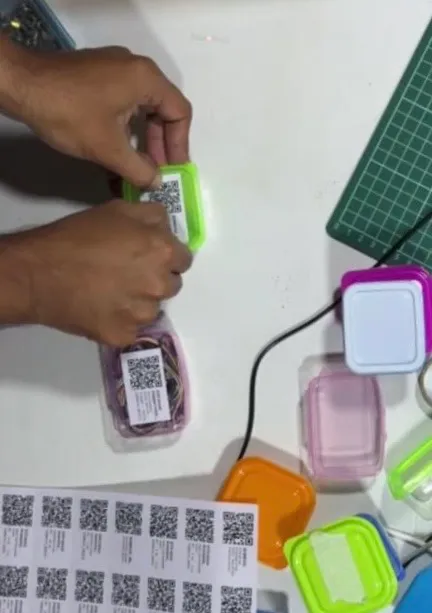
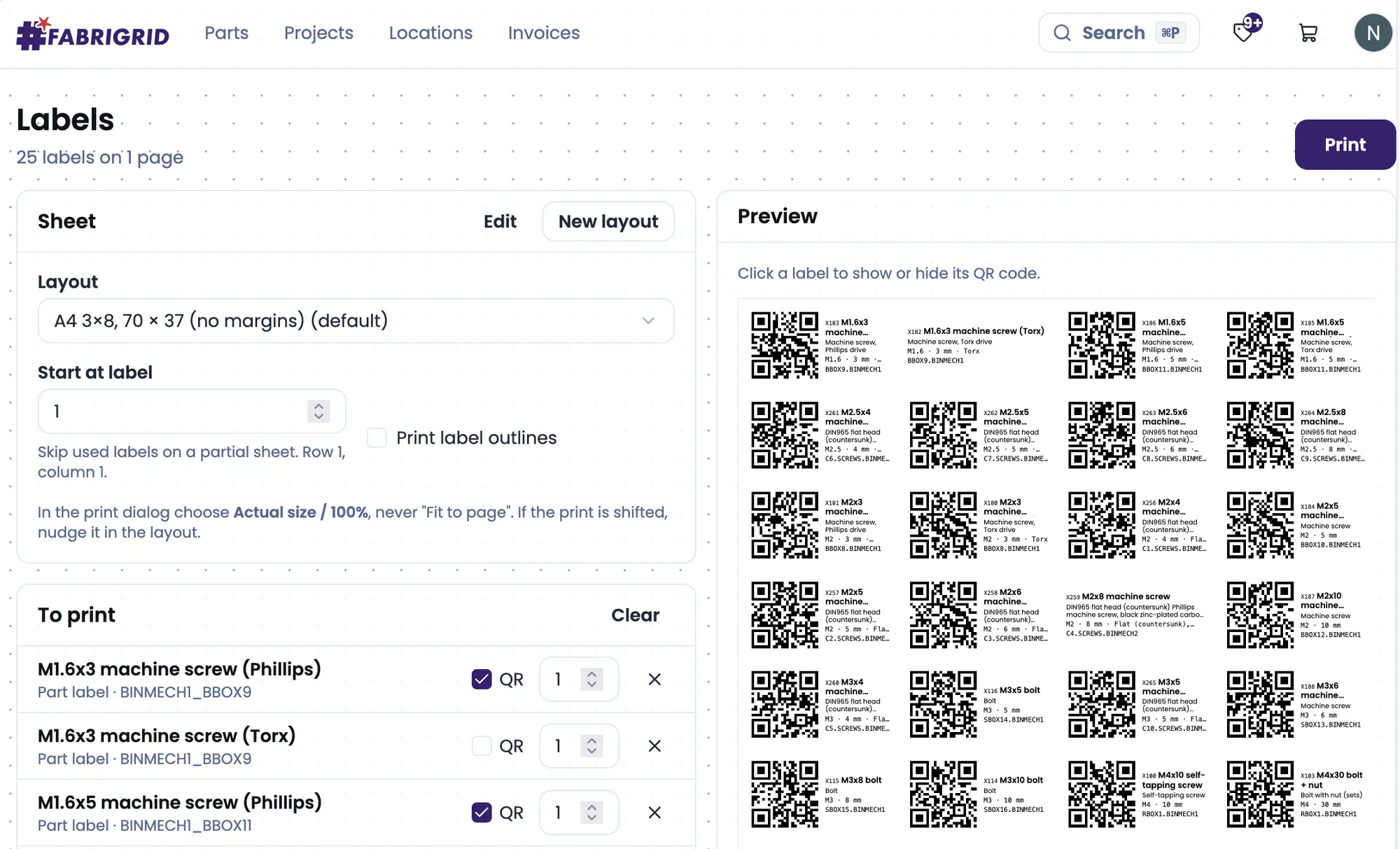
I didn’t bother buying a label printer. Instead, I bought a box of adhesive-backed pre-cut A4 label sheets compatible with my printer1 and made Fabrigrid create printouts arranged to match the pre-cut grid.
I spent a couple of hours sticking QR labels on all containers, sub-containers, shelves and cabinets. Now recording part usage is as simple as scanning the QR and tapping a button on the phone.
Capturing photos
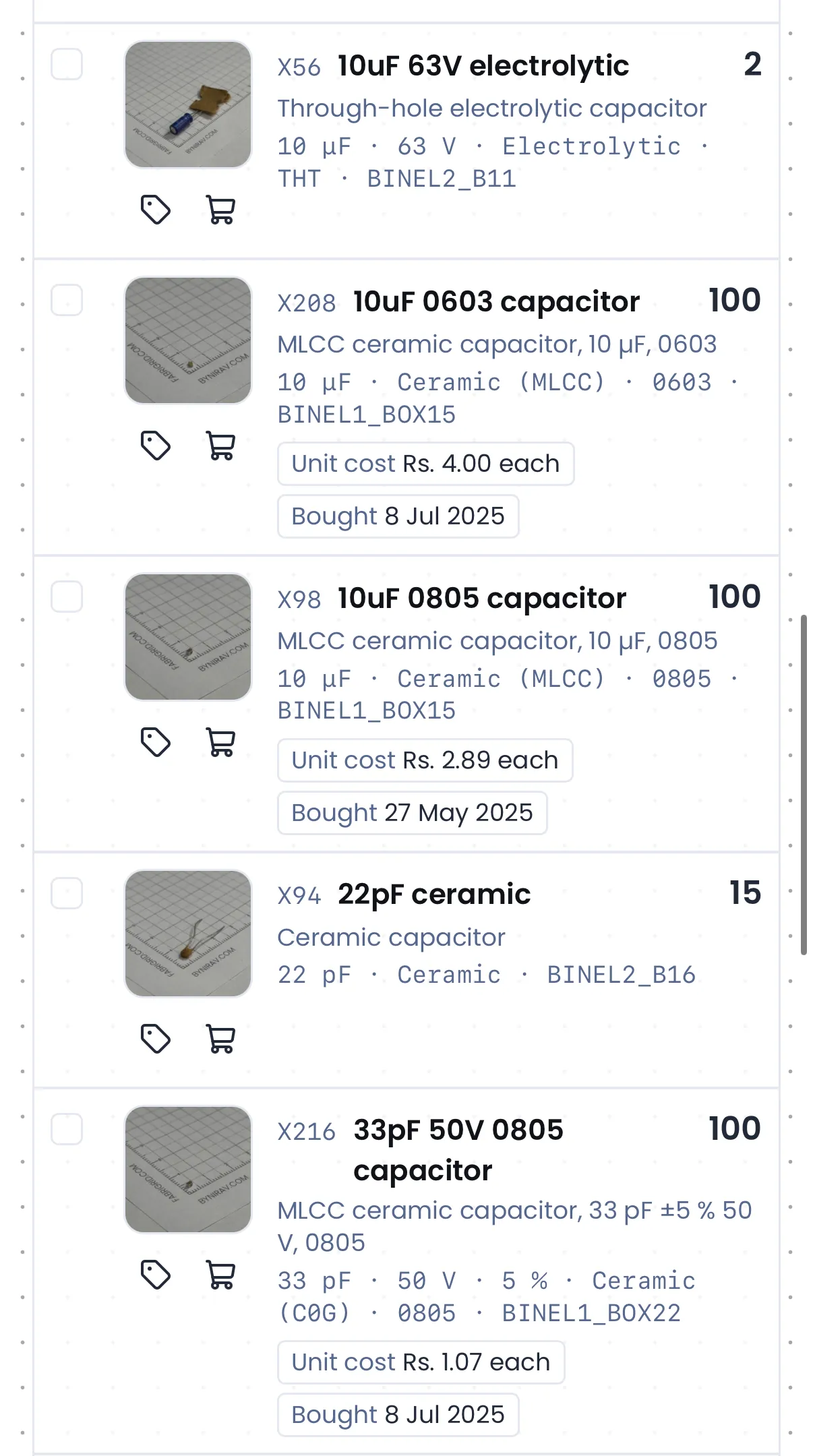
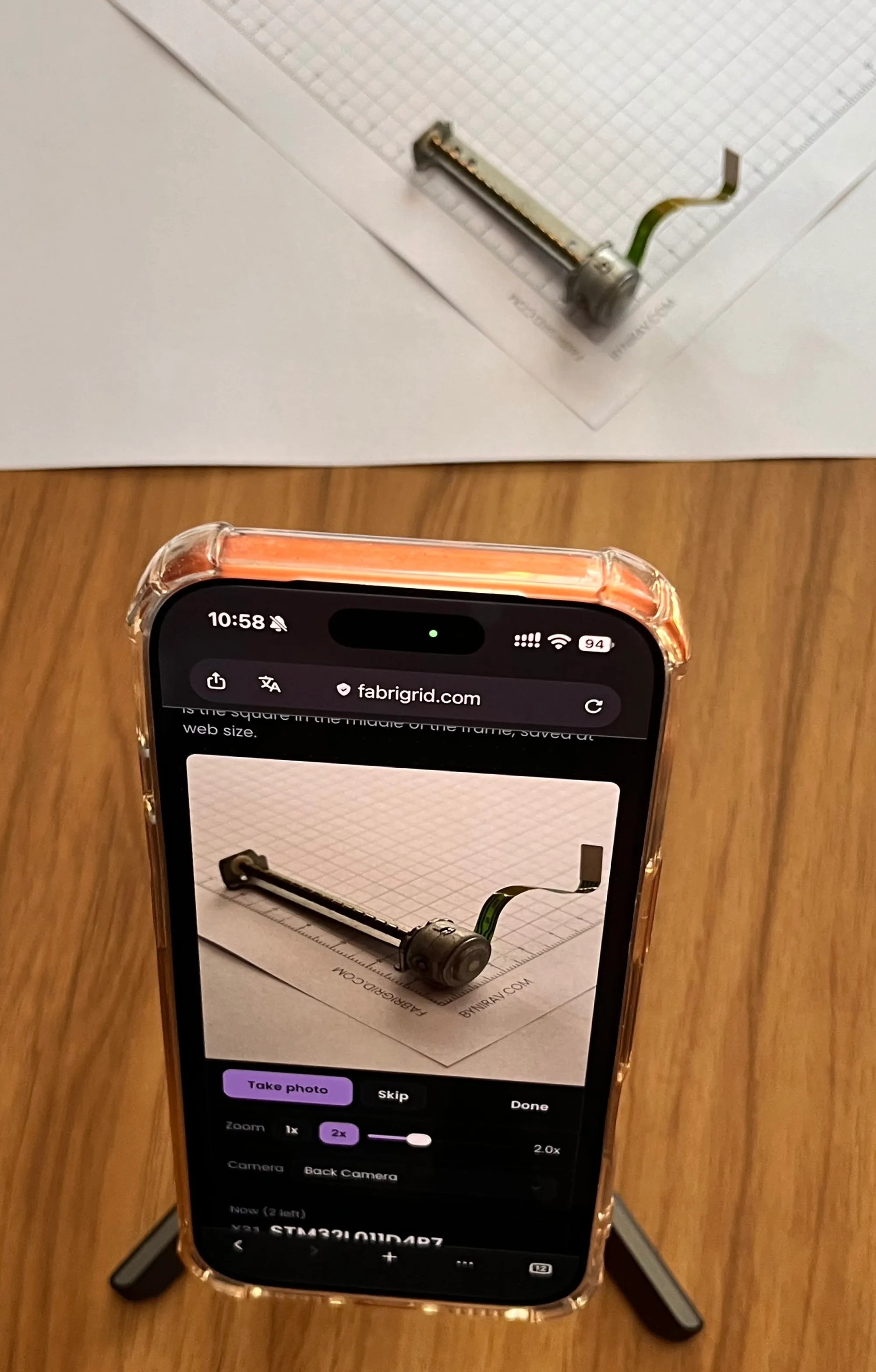
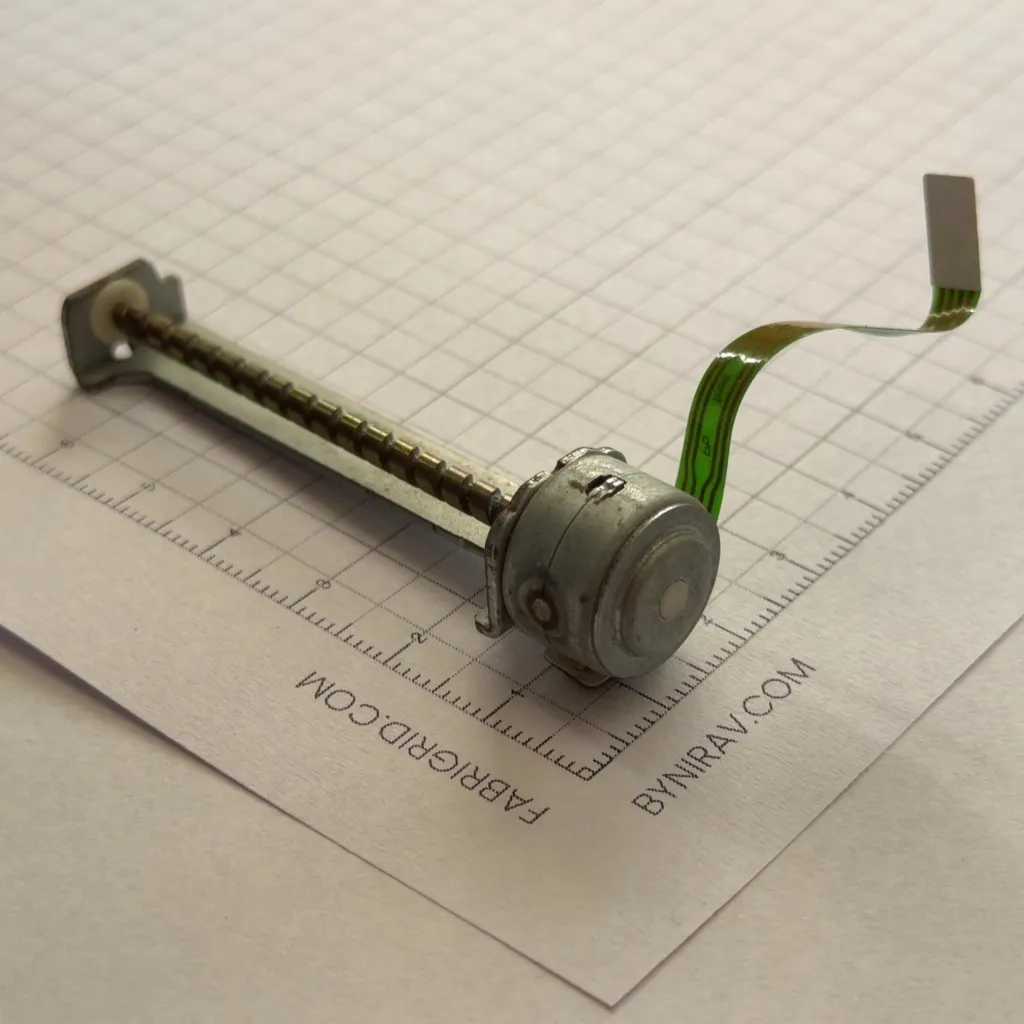
A large part of this process was taking photos of every part I have. I decided to print a page with a ruler grid as a way to homogenize the photos. I could, of course, just use photos from the internet to represent most parts, but I liked the idea of having the same scale and angle for every photo.
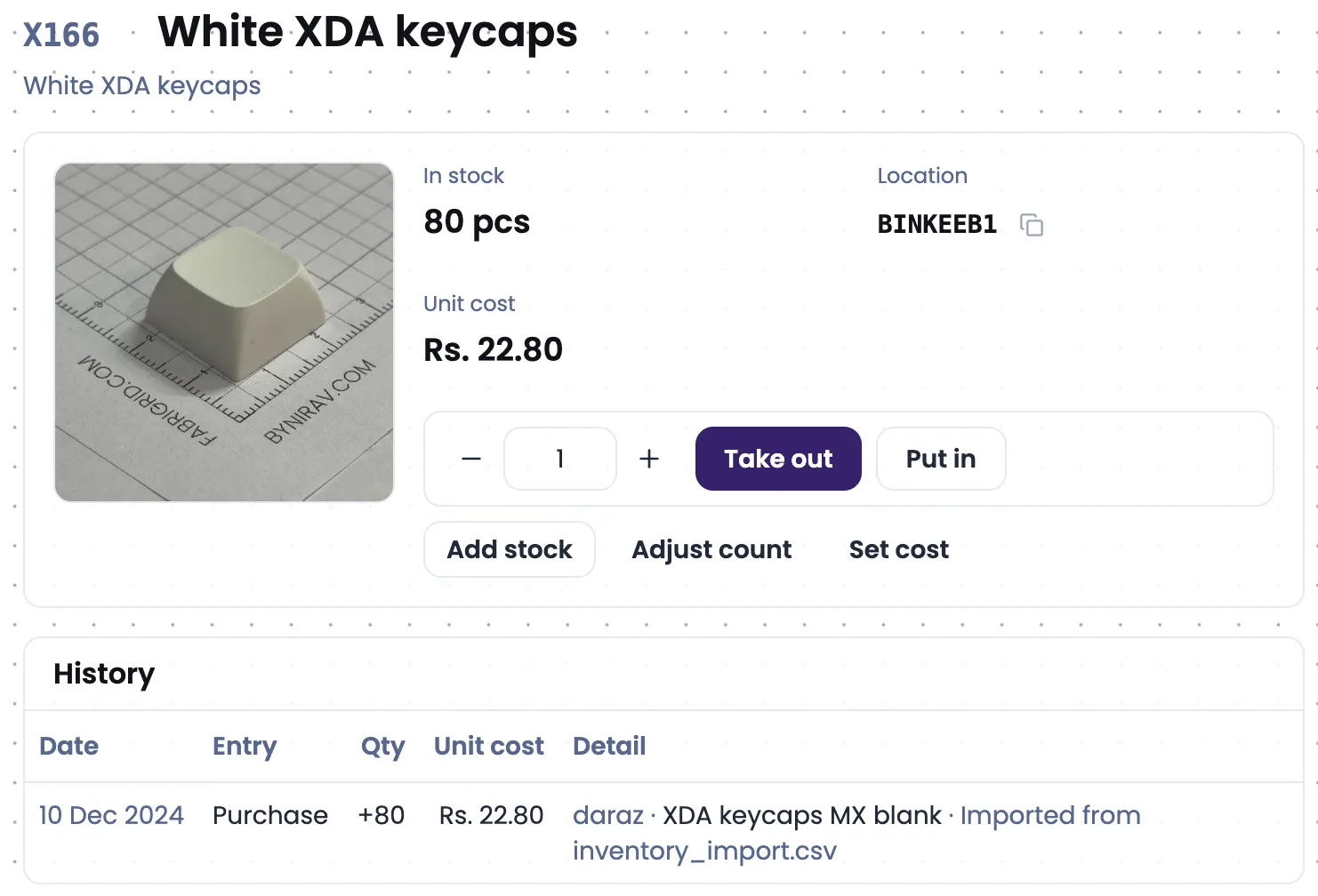
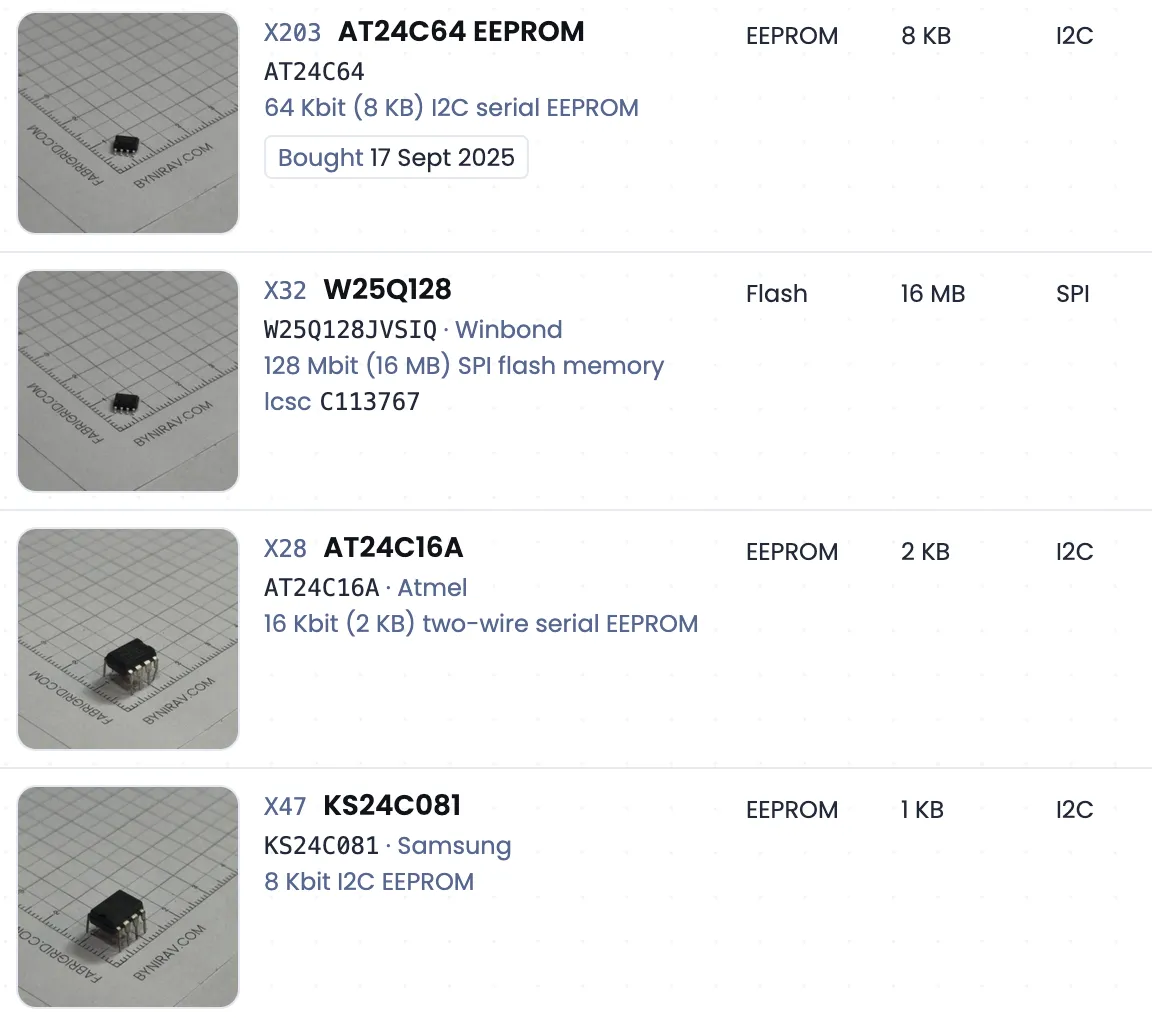
Taking the photos was not as tedious as I anticipated. I added a feature to Fabrigrid: pick a bin, and photograph parts that don’t have a picture yet. Fabrigrid handles aspect ratio, cropping and sequencing. Photographing everything took hours, but I am extremely pleased with the result.
I’ve come to like this backdrop. I’ll probably take most of my product photos on this now. Saves me from a lot of decision fatigue.
Recording invoices
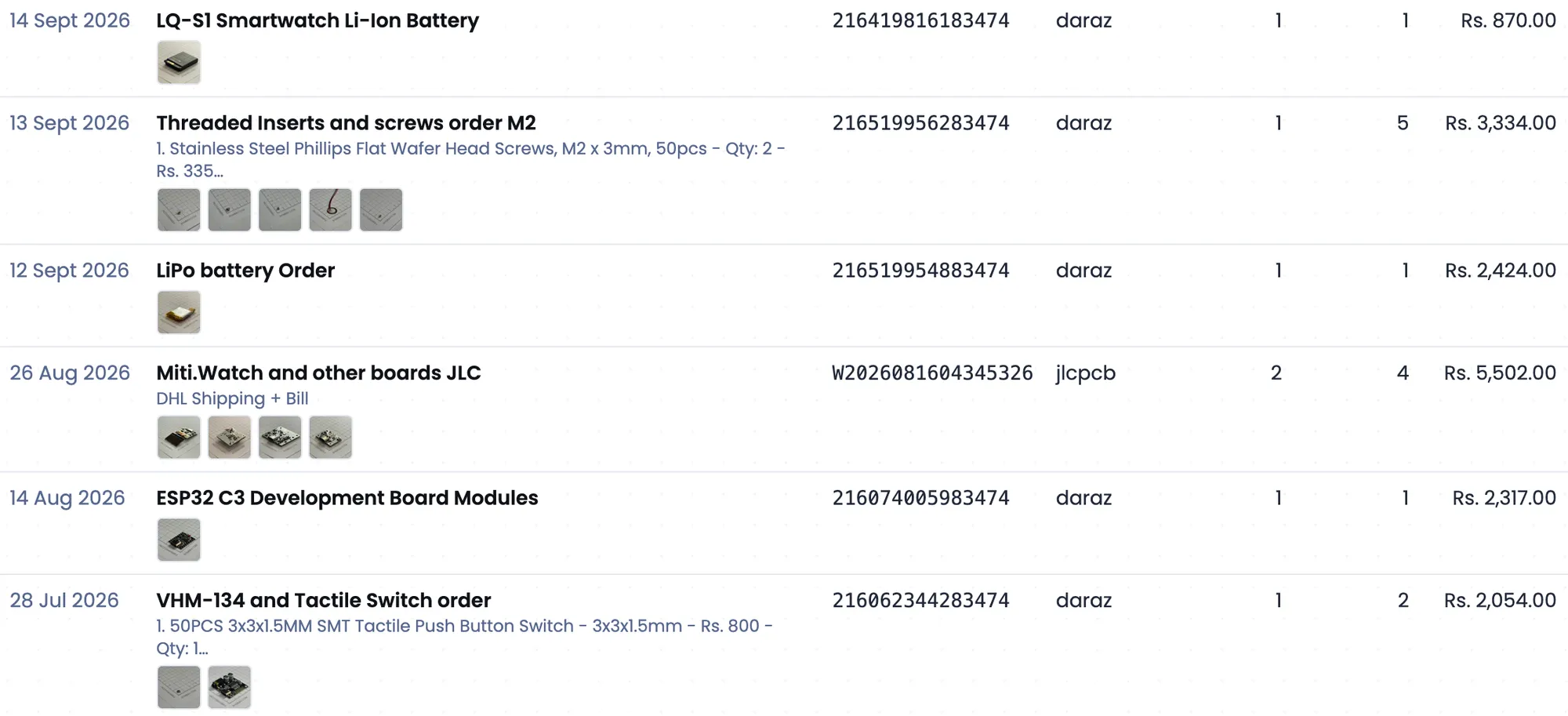
One of the main things I needed from Fabrigrid was to keep all documents related to a part right next to the part. This includes datasheets, screenshots and forum links, but the highest-value document to store is the invoice. When, how and for how much was a part ordered? What tariffs, delivery charges and other costs did I pay?
To keep track of all that, I created an invoice feature. I add the invoice, the price paid and other details. Then I can link a set quantity of a part to a portion of the cost noted in that invoice.
Getting part details from vendors
Some of my parts are from vendors like DigiKey and Mouser. Being able to pull the associated details, prices and documentation from the vendor catalog would be a nice feature to have on Fabrigrid. But I didn’t want this to muddle my minimal schema and increase the bug surface area in case some API changes or breaks.
So I have a minimal part cache, shared across all users and separate from the Fabrigrid server. I implemented a normalization layer on top of the Mouser and DigiKey APIs. Fabrigrid only ever queries this part cache for part details.
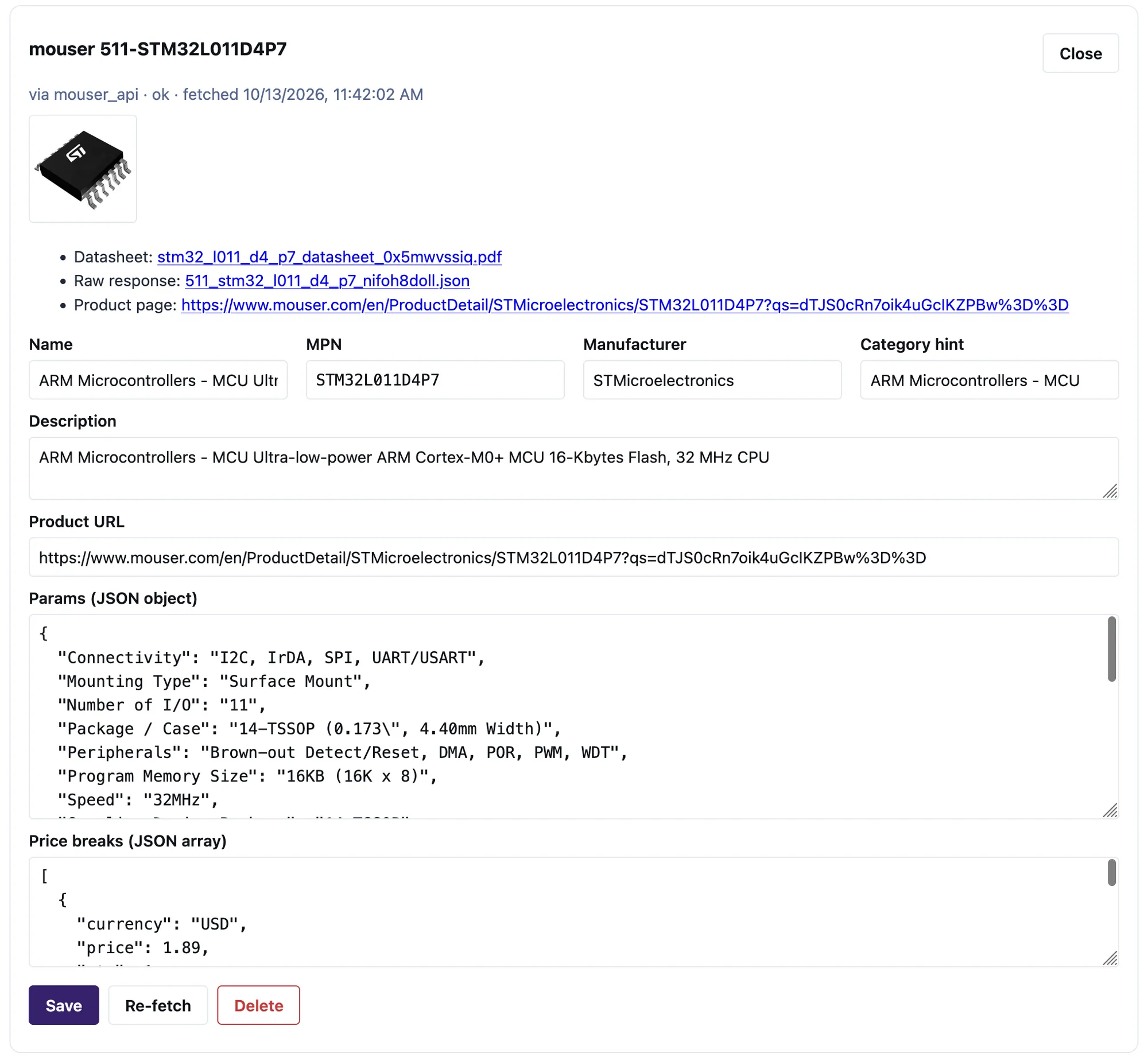
The part cache downloads and stores all queried part details indefinitely. This includes datasheets, prices at that time and the raw API response. This ensures I’ll always have a copy of the part documentation with me. This part cache is wired internally to Fabrigrid without any external access. If I ever want to make a separate part archive, I can just repurpose this cache.
Software
The software section in posts like this used to be much larger. But I used an LLM to write most of the code, so I don’t have that many details and decisions to write about. LLMs have gotten incredibly good at building sites in general. Plus, this kind of simple, well-defined UI layer is the best kind of work to delegate.
I’ve been working on some version of this software for the past few years. First, for Yarsa Tech, I built and maintained a parts-tracking system that made work easier for the circuit designers. Someone working on a circuit should be able to, in a matter of seconds, check if a part is in inventory, or what parts there are for a specific use case. It had a multi-user collaboration system, and an append-only audit trail to ensure the integrity of the records. It had a viewer to let engineers send KiCad-style interactive BOMs to prototype assemblers downstairs. It was a solid system that we used for many years, but as the company grew and became more formal, we moved to the ERP we were already using for other departments anyway.
I needed something for my home lab too. But the Yarsa inventory software I’d built had reached a point where it was too complicated for home use. For my personal use, I wanted something that I could fit in my head at once: the schema and the DB change hooks for Fabrigrid should be concise. The schema has also been refined over the many iterations of this system I’ve worked on. At this point, I consider this software complete.
To simplify the design, I decided on a set of hard constraints and choices:
- No multi-user part use tracking. Only read-only sharing supported
- Log in with Google only. This eliminates a whole class of login/signup-related problems2
- Numbers are loosely enforced. Warnings instead of errors
- The part cache is best-effort, not a must-have
- Use PocketBase
I’m using PocketBase for this project because of the crisp mental model it offers. The schema, DB change hooks and access rules can fully specify and constrain a system. Authentication, mail, backups and plenty more are taken care of. And it’s a single, simple binary with excellent deployment and migration ergonomics. I don’t know if I’m ready to use PocketBase for bigger production systems yet. But for something like Fabrigrid, it is perfect.
The loose enforcement is also an important part of this project. Inconsistencies are flagged rather than rejected. For example, the invoice total is not required to match up with the price × quantity total. The difference is understood as incidentals or a discount. When entering a new part, all details are optional. In the audit pane in settings, you can look at the flagged omissions and inconsistencies at your leisure and do your housekeeping when you feel like it. It flags floating invoices (no parts linked), orphan parts (no invoice linked), missing photos and messed-up location entries. You can wait for photo-less parts to pile up before you go through the hassle of setting up your camera and tripod and lighting. The goal is not a perfect system; it is a productive system.
The results
With Fabrigrid, my home lab inventory is essentially a solved problem. I no longer have to keep track of every part and quantity I’m using as I build. It frees me from the shackles of the spreadsheet. When you’re building something, you already have a lot of things in your head: the soldering iron is hot, the circuit is connected to the programmer, there’s a bunch of test jigs and parts and wire cutters and open adhesive. The 3D printer is going. Maybe the cameras are rolling. And you need to get four M1.6×2 screws. Just scan the QR, take the parts, and you’re done!